


Your AI Assistant Doesn't Know Who Your Most Important Client Is
Article Summary
📖 9 min readWhy AI assistants without memory are useless in professional contexts, and how Nova-Mind's persistent vector memory transforms the workflow of freelancers and agencies.
Key Points:
- LLMs are brilliant amnesiacs: brilliant every session, useless from one to the next
- The right prompt doesn't replace persistent memory
- pgvector enables semantic search, not just exact matching
- A CRM separate from your AI assistant is fundamentally broken
- 36 MCP tools connect Claude Desktop directly to Nova-Mind
Your AI Assistant Doesn’t Know Who Your Most Important Client Is
You just landed a call with a hot prospect. You open Claude. You type: “Prepare me a pitch for Dupont & Associates.”
Response: “I don’t have information about Dupont & Associates. Can you give me more context?”
Of course. Like the other 47 times.
This is the fundamental problem that no one names clearly in the debate about productive AI: LLMs are brilliant amnesiacs. Brilliant in every conversation. Useless from one session to the next. And while everyone talks about magic prompts and GPT-5, freelancers and agencies waste hours every week re-explaining what their AI should already know.
Here’s what I learned after building a solution to this problem — and why persistent memory is the true revolution of productive AI.
The myth of the “perfect prompt”
My obsession with detail led me to an uncomfortable truth: most people are trying to solve the wrong problem.
The right prompt doesn’t replace memory. Period.
You can spend 20 minutes crafting the perfect context at the start of every conversation. Describing your client, their industry, their challenges, their communication preferences, your relationship history. Some people do. Some even have “mega-prompts” of 3,000 tokens that they copy-paste into every session.
That’s productivity backwards. You’re working for your tool. Your tool isn’t working for you.
“The automation that matters isn’t the kind that speeds up repetitive tasks — it’s the kind that eliminates invisible friction.” — A hard-learned lesson.
The invisible friction here is the cognitive cost of permanent re-contextualization. Every time you re-explain who your client is, you’re consuming mental energy that should go toward high-value work. Multiply that by 5 clients, 3 active projects, 4 conversations a day. You see the problem.

What persistent memory concretely changes
Here’s where it gets juicy. Because “AI memory” has become as vague a buzzword as “digital transformation.” So let’s be precise.
There are two radically different approaches.
Fake memory: some tools store your recent conversations and inject them into context. It looks like memory. It isn’t. If you’ve had 200 conversations with 30 different clients, the system doesn’t know what to prioritize. It drowns the AI in noise.
Real memory: a vector database (pgvector, in our case) that stores semantic embeddings of your client information, projects, preferences. When you ask a question, the system retrieves the relevant fragments — not everything, just what matters for that specific request.
The difference in practice? You type “prepare a quote for Dupont” and the AI already knows that Dupont & Associates is a 12-person agency, that their typical budget is around 8,000€, that they prefer deliverables in three phases, and that their main contact hates meetings longer than 30 minutes.
You haven’t re-explained anything. Zero.
Why pgvector and not a simple database
The technical question deserves a direct answer. A standard SQL database searches by exact matching. You search for “Dupont”, you find “Dupont”.
A vector index searches by semantic similarity. You ask “the client in the legal sector we had friction with over deadlines,” the system understands and retrieves the right file — even if you never used those exact words to describe it.
It’s the difference between a filing cabinet and a colleague who’s read everything.
The CRM you never use (and why)
After analyzing the workflows of dozens of freelancers and agencies, I identified a recurring pattern: everyone has a CRM. No one actually consults it.
Salesforce. HubSpot. Notion as a CRM. DIY Airtable. Tools don’t lack. But they all share the same flaw: they’re outside your real workflow.
You work in your email, in your project management tool, in your text editor. Your CRM is in a tab you open once a week, feeling guilty about not updating it.
Here’s what nobody tells you in tool comparisons: a CRM separate from your AI assistant is fundamentally broken. Because the two sources of information never talk to each other.
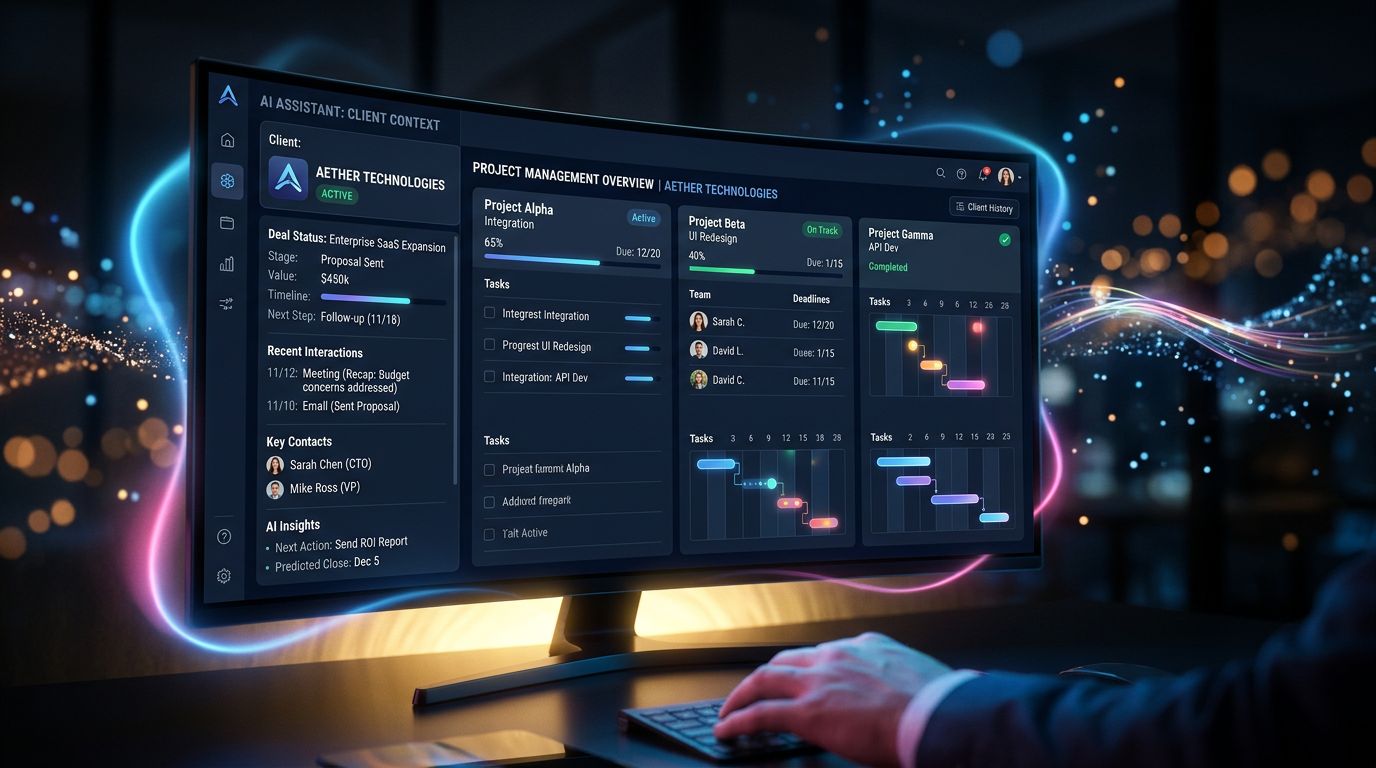
Here’s what it should look like: you tell your AI “I had a call with Martin Dupont today, he’s interested in our 5,000€ offer, he wants an answer by Friday.” The AI updates the deal in your CRM, creates a task reminder for Thursday, and remembers all of this the next time you talk about Dupont.
No tab to open. No form to fill out. Context builds naturally, conversation after conversation.
That’s exactly what Nova-Mind’s integrated CRM does — with semantic search across your contacts, your companies, your opportunities. Everything in the same tool. Zero copy-pasting between applications.
MCP: the protocol that changes the game for power users
Let’s flip the situation. What if your favorite work tool could talk directly to your AI memory?
That’s what the MCP protocol (Model Context Protocol) makes possible. Especially for Claude Desktop users.
36 tools. That’s the number of actions you can trigger from Claude Desktop to Nova-Mind via MCP. Create a task. Update a CRM deal. Schedule a LinkedIn post. Search your contact database. Access your files. All without leaving Claude’s interface.
For a freelancer or agency already working with Claude daily, it’s a massive shift. You keep your favorite interface. You add the memory and data that were missing.
A concrete example: you’re in Claude Desktop, you finish a sales proposal for a client. You type “/nova save client Dupont — proposal sent January 15th, 8,500€, decision expected end of January.” Nova-Mind records it, creates the follow-up automatically, and will remember this context the next time you talk about that client.
That’s workflow. Not magic.
What MCP doesn’t do (let’s be honest)
Initial setup takes 15 to 20 minutes. It’s not a click. If you’re not comfortable with JSON config files, you’ll need to follow the documentation step by step.
And MCP is just a communication layer — the value comes from the data you feed it over time. Week 1, it’s useful. Week 8, it’s essential.
The numbers that really matter
Factual and quantified, that’s my rule. Here’s what users report after 60 days of Nova-Mind use.
8 to 12 hours saved per week for freelancers managing 5+ active clients. Most of this gain comes from eliminating re-contextualization and searching for scattered information.
-40% time on admin work when the CRM is fed via conversational AI rather than manual forms.
3x more posts published for agencies using automatic social media content generation — without sacrificing editorial consistency thanks to configurable artistic directions by platform.
These numbers aren’t universal. They depend on your client volume, your discipline in feeding the memory, and the complexity of your projects. But the order of magnitude is real.

Three things to remember before you keep wasting time
My expert advice, distilled into three actionable points:
1. Audit your invisible friction. For a week, note every time you re-explain context to your AI or search for client information you already have somewhere. Count the minutes. Multiply by 50 weeks. The number will surprise you.
2. Choose a tool, not a stack. The temptation is to assemble: Claude for AI, Notion for projects, HubSpot for CRM, Buffer for social. Each tool is good. Together, they create fragmentation. Value is in the connection, not in the individual quality of each brick.
3. Memory is built, not installed. Don’t wait to configure everything perfectly before you start. Start with your 5 most important clients. Feed the AI naturally. Value accumulates exponentially over time.
Conclusion: AI that truly knows you
Productive AI in 2025 isn’t the one with the biggest model or the best benchmarks. It’s the one that knows your business, your clients, your constraints — and remembers all of it tomorrow morning.
General-purpose LLMs are extraordinary tools. But a tool without memory of your context is like hiring a brilliant consultant who leaves every evening taking all their knowledge of your case with them.
Nova-Mind is the memory and organization layer that was missing. Conversational AI assistant, project management, integrated CRM, social media, image generation — in a single desktop tool. Private data. €39/month.
Try Nova-Mind and see how much time you’re really wasting re-explaining what your AI should already know. The first session is often the most revealing.
Because the best AI assistant isn’t the one that answers questions best. It’s the one that no longer needs to ask them.
Share this article
Social networks
Analyze with AI

Charles Annoni
Front-End Developer and TrainerCharles Annoni has been helping companies with their web development since 2008. He is also a trainer in higher education.