


Microsoft Project for Construction: What Nobody Tells You Before You Buy
Article Summary
📖 8 min readMicrosoft Project shines on complex Gantt planning and the critical path, but its brutal learning curve, high cost and lack of field collaboration make it ill-suited to most construction SMEs. This article distinguishes the contexts where it remains relevant from those where other tools are more effective.
Key Points:
- MS Project excels at complex Gantt planning, resource management and the Critical Path Method (CPM).
- The learning curve is brutal: minimum 2–3 days of training before any real autonomy.
- The true total cost over 3 years (licences + training + integrations) often exceeds €15,000 for an SME.
- No native field collaboration: the schedule is updated by one person, late, based on verbal reports.
- Tools built specifically for construction (Procore, Buildertrend, PlanRadar) better address field reality for most organisations.
The go-to tool… or a budget trap?
15 years of watching construction project managers wrestle with their tools has taught me one thing: Microsoft Project enjoys a reputation that is inversely proportional to how easy it is to adopt. Everyone has heard of it. Many have bought it. Few actually use it properly.
So here is the question nobody asks bluntly: is MS Project genuinely suited to construction projects in 2025, or are we just paying for a brand name?
Let’s break it down without pulling punches.
What MS Project does well — concretely
Let’s start with the facts. Microsoft Project hasn’t survived 40 years on the market by accident.
Gantt scheduling remains unmatched. For modelling complex sequences — foundations → structure → fit-out → finishes — MS Project’s Gantt chart is surgically precise. Task dependencies (FS, SS, FF, SF), lags, date constraints: it’s all there. An experienced site manager can build a 500-line construction schedule with impeccable logic.
Resource management is serious. Labour, materials, equipment — MS Project lets you visualise overloads, level resources and anticipate conflicts. On a site where the masonry and carpentry crews can’t be in each other’s way, that matters.
The critical path is native. The Critical Path Method (CPM) is built in. You can see immediately which tasks will push the delivery date if they fall behind. On a project with delay penalties, that’s real money.
Microsoft 365 integration exists. Teams, SharePoint, Power BI: if your company is already in the Microsoft ecosystem, the connection makes sense. Power BI reports on an MS Project schedule look clean and polished in site meetings.
“Microsoft Project remains the academic reference for complex project management. The problem is that construction is not academic.” — Field feedback from a works director, construction sector.

The real problems — and there are many
Here is where it gets interesting. Because the limits of MS Project in a construction context are rarely mentioned in the sales brochures.
The learning curve is brutal. Not “a bit complex”. Brutal. Properly training a site manager on MS Project takes a minimum of 2 to 3 days of instruction, followed by weeks of supervised practice. In a sector where site managers are already juggling 12 things at once, that is a considerable human investment.
The cost is hard to justify for SMEs. MS Project Plan 3 (cloud) runs around €30/user/month. Plan 5 (with portfolio management) exceeds €55/user/month. For a 10-person construction firm, that is €3,600 to €6,600/year — before training, before support, before add-on modules.
Field collaboration is virtually non-existent natively. MS Project is not designed for the crew leader on site to update tasks from their phone. Workarounds exist (Project Online, Teams), but they add complexity and cost. The field reality: the schedule is updated by one person, late, based on verbal reports.
No integrated document management. Plans, as-built documents, handover reports, site photos — MS Project handles none of that. You need to connect SharePoint, which heavies up the architecture and multiplies friction points.
Schedule changes are painful. A construction site is constant disruption. Bad weather, late deliveries, a failing subcontractor. Recalculating an MS Project schedule after a major setback requires advanced mastery. Many end up maintaining an “official” frozen schedule and a separate “real” one in Excel. Which defeats the purpose of the tool.
The construction ecosystem has evolved — MS Project less so
What nobody tells you in comparison articles: the construction project management tool market has exploded over the past 5 years. Tools like Procore, Buildertrend and PlanRadar were designed specifically for the building industry. Document management, mobile field tracking, subcontractor communication, regulatory compliance — everything is designed for the site, not the office.
MS Project, on the other hand, is a general-purpose planning tool. It excels at modelling complex projects on paper. It cannot send you an alert when the concrete delivery is confirmed, nor manage snagging items at handover.
Let’s flip the question: for whom is MS Project still relevant in construction?
For large construction firms (major contractors) with dedicated planning teams, projects over €10M, and contractual obligations to provide formalised CPM schedules. In that precise context, MS Project remains a reference.
For everyone else — sole traders, SMEs, project management agencies, mid-size developers — the cost-benefit ratio is rarely favourable.
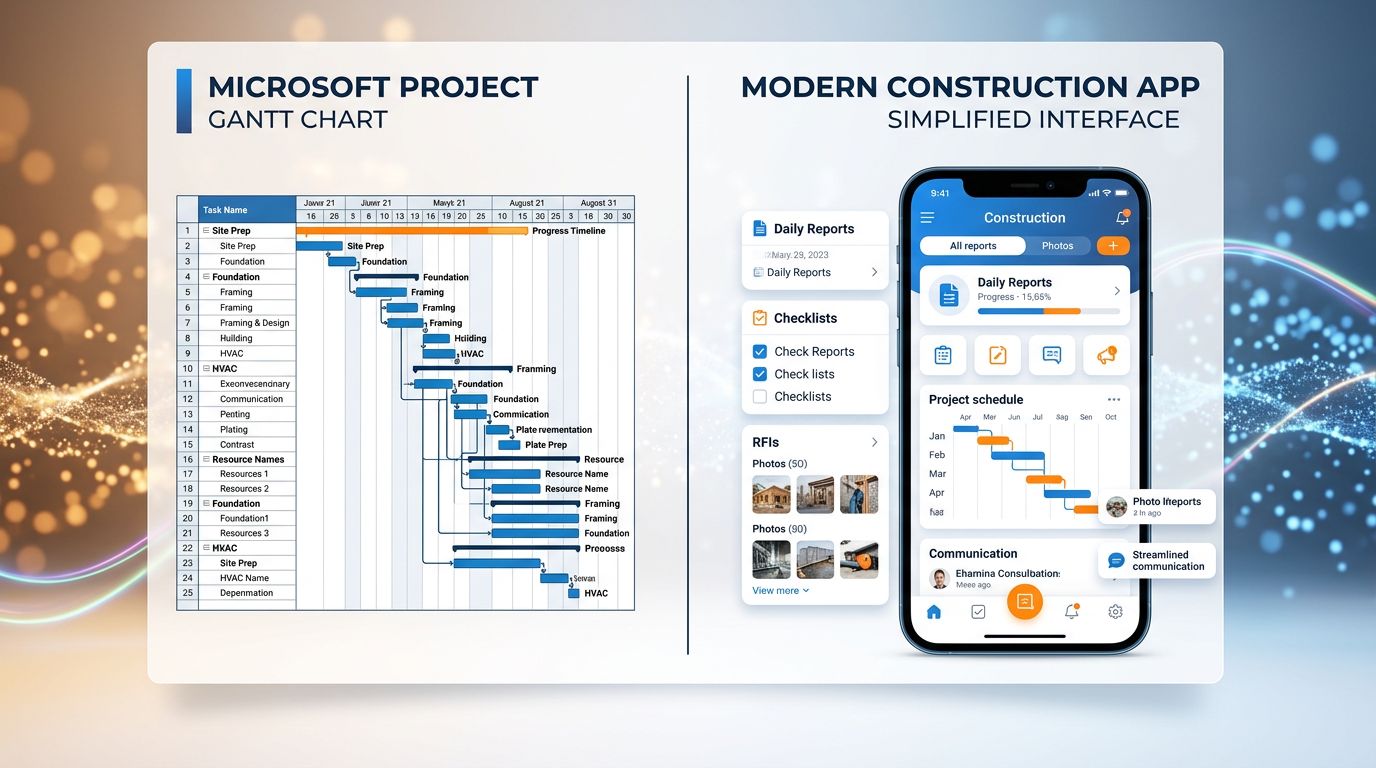
3 questions to ask yourself before signing
My analysis shows that the decision to adopt MS Project in construction comes down to three concrete questions.
1. Do you have a contractual obligation? Some public clients or major accounts require schedules in MS Project format. If that’s your situation, the question is settled — you have no choice. Get trained, end of story.
2. Do you have a resource dedicated to scheduling? MS Project is not a tool you use “on top of everything else”. It requires someone for whom scheduling is their job, or close to it. If your site manager also handles orders, subcontractors and site meetings, they will not use MS Project properly.
3. What is your real need? Pure scheduling and critical path analysis → MS Project is relevant. Field collaboration, document tracking, client communication → look elsewhere or plan a complementary stack.
What the numbers really say
According to the Project Management Institute, 70% of construction projects exceed their initial budget. The main cause is not poor planning tools — it is a lack of real-time visibility on field progress.
That is precisely where MS Project shows its structural limits. A perfect schedule at day 0 that is no longer updated at day 30 because it is too complex is worse than an approximate but living schedule.
A McKinsey study on large infrastructure projects confirms that digitalising field tracking — not office planning — is the number one productivity lever in construction. MS Project addresses the office. The site remains orphaned.
“The best project management tool is the one your team actually uses.” — Fundamental principle, often ignored in purchase decisions.
Key takeaways to remember
My obsession with detail obliges me to be precise about actionable takeaways:
Takeaway 1 — Don’t confuse power with relevance. MS Project is powerful. That does not mean it is suited to your context. Assess your project maturity and human resources before committing.
Takeaway 2 — Calculate the true total cost. Licences + training + schedule maintenance time + additional integrations. Over 3 years, the real cost of a serious MS Project deployment in a construction SME often exceeds €15,000. Compare with native construction alternatives.
Takeaway 3 — Prioritise field adoption. A tool that 2 people in your organisation master and 8 ignore is not a project management tool — it is a reporting tool. That is not the same thing.

Verdict and next step
MS Project for construction: a legitimate tool in specific contexts, overrated in the majority of SME and field situations.
If you manage complex construction projects with a dedicated planning team and contractual obligations for formal scheduling — use it, master it, extract maximum value from it.
If you are an agency, a mid-size developer or a contractor-entrepreneur looking to gain visibility over your sites — look first at tools built for the field. You will save time, money and a great deal of frustration.
The real question is not “is MS Project good?” It is: “Do I need an office planning tool or a site management tool?”
Those are two different needs. Confusing the two is the classic mistake.
Managing construction projects and looking for an assistant that remembers your clients, your active sites, and works for you even when you’re offline? That’s exactly what Nova-Mind does — with permanent memory, built-in CRM and proactive coaching. Discover Nova-Mind from €39/month.
Share this article
Social networks
Analyze with AI

Charles Annoni
Front-End Developer and TrainerCharles Annoni has been helping companies with their web development since 2008. He is also a trainer in higher education.